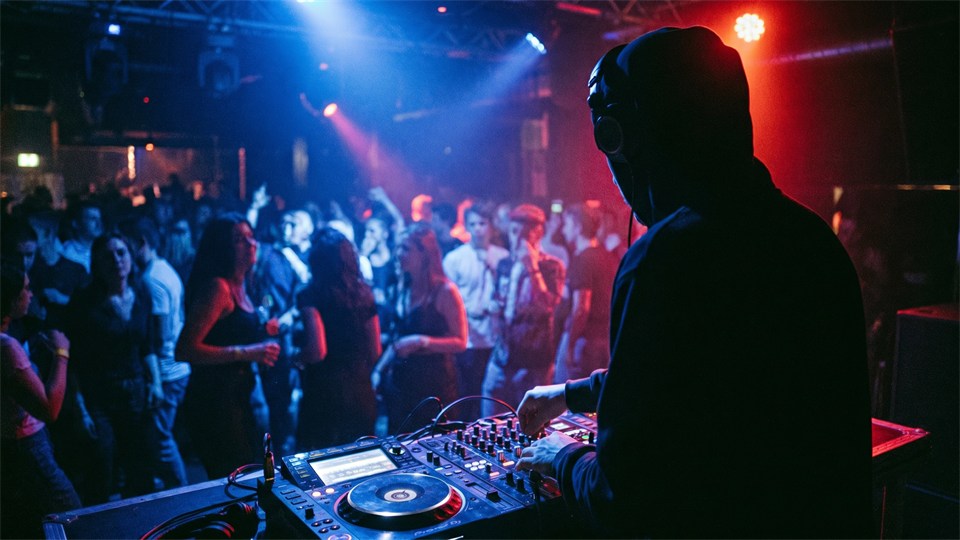


DJing is the art of selecting, playing, and mixing music tracks in a way that creates a cohesive and engaging listening experience. Whether you dream of standing behind the decks at a big party, playing in a club, or simply making mixes at home, DJing is a skill that combines technical knowledge with musical sensibility. This guide gives you a solid foundation in equipment, techniques, and the most important concepts in the world of DJing.
A DJ – short for Disc Jockey – is a person who plays and mixes music tracks for an audience. The role has evolved enormously since the 1970s, when DJs began experimenting with vinyl records in New York and Jamaica. Today, DJ culture spans from radio hosts and club DJs to festival headliners and producers. Common to them all is the ability to read an audience, choose the right tracks, and create a fluid musical journey from start to finish. A good DJ is not merely a player of music – they are a storyteller who uses sound as their medium.
Before you start mixing, it is important to understand the tools that make up a typical DJ setup. The equipment varies depending on style, budget, and purpose, but there are certain core elements that appear regardless of level.
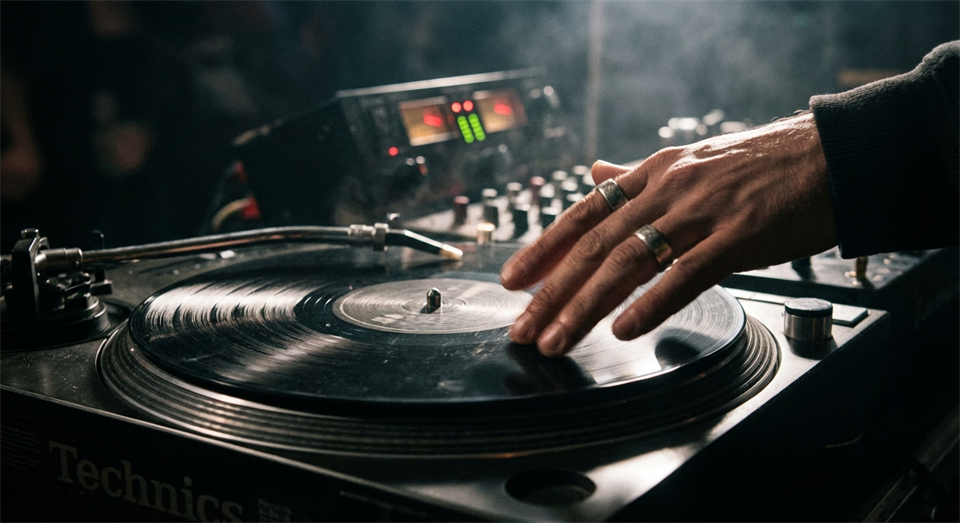
Traditionally, DJs used vinyl turntables – particularly the iconic Technics SL-1200 – to play and manipulate music. Vinyl offers a tangible and intuitive playing experience, but requires space and maintenance. Today, CDJs (CD Jockeys) from the Pioneer Audio brand are the standard in most professional clubs. CDJs can play music from CD, USB drives, or via a computer and offer advanced features such as hot cues, looping, and beat synchronization. For beginners, CDJs are often the most practical choice, as they are robust and widely available.
The mixer is the heart of any DJ setup. It connects two or more players and allows the DJ to control volume levels, EQ (equalization), and transitions between tracks. A typical mixer has channel strips with volume and EQ knobs, a crossfader section, and a headphone output control. The crossfader is the horizontal slider that allows for quick and precise switching between two channels – an indispensable tool in scratch techniques and fast transitions.
A good pair of DJ headphones is essential. The DJ uses them to cue the next track in their ear while the previous one is still playing through the speakers. This allows the DJ to find the right starting point and synchronize the beats before introducing the track to the audience. Look for closed-back, over-ear models with good bass reproduction and durability, as they need to withstand intensive use.
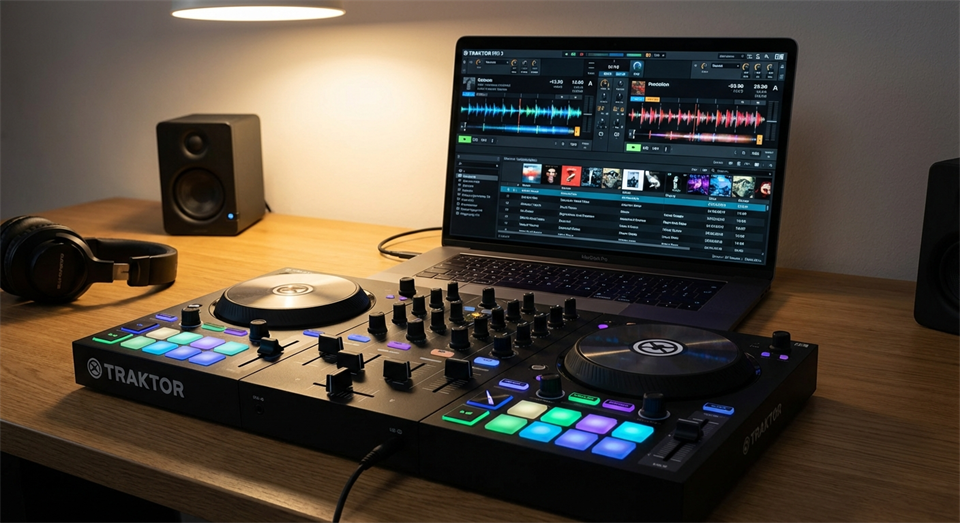
For beginners, a DJ controller combined with software such as Serato DJ, Rekordbox, or Traktor is a popular and affordable alternative to a full hardware setup. A controller is a compact unit that emulates the functions of turntables and a mixer in one device and connects to a computer via USB. The software manages the music library and analyzes the beats, making it easier to learn basic techniques without investing in expensive equipment.
Once the equipment is in place, it is time to learn the techniques that separate a good DJ from a mediocre one. It takes time to master these skills, but with regular practice, progress will come quickly.
Beatmatching is the most fundamental DJ technique and involves synchronizing the tempo of two tracks so that they beat in time with each other. Tempo is measured in BPM (Beats Per Minute). If track A is running at 128 BPM and track B at 130 BPM, the DJ must adjust the speed of one track so they match. This is done manually using the pitch control on the turntable or CDJ. Modern software offers automatic beatmatching, but learning it manually gives a far deeper understanding of rhythm and tempo.
Mixing is the process of blending two tracks together. The most basic form of transition is the crossfade, where you gradually turn down one track while turning up the other. A more refined technique is EQ mixing, where you use the equalizer to remove the bass from the incoming track before it is fully introduced. This creates a smoother and more professional transition. Timing is everything – a transition that lands on the wrong beat sounds messy and can ruin the atmosphere on a dance floor.
Cueing means finding and marking a specific starting point in a track before it is played to the audience. Via the headphones, the DJ can listen to the track and find the precise position – typically the first beat – and set a cue marker. Hot cues are pre-set marker points in a track that provide instant access to specific sections. This is useful when you want to jump directly to a chorus or a particular passage.
A loop is a section of a track that repeats continuously. DJs use loops to extend a particular part – for example an intro or a breakdown – while preparing the next track. Loops can be set to precise lengths such as 1, 2, 4, or 8 beats and are a powerful tool for creating tension and variation in a mix.
Scratching is a technique that originates from hip-hop culture and involves moving the vinyl back and forth under the needle to create characteristic rhythmic sound effects. It is an advanced technique that requires good coordination and practice, but it is not necessary for most DJ genres. Within turntablism – an art form that focuses specifically on vinyl manipulation – scratching is, however, a central discipline.
There are a number of technical terms that every beginner should know in order to navigate the DJ environment and understand guides and tutorials.
BPM indicates the tempo of a music track and is one of the most important parameters for a DJ. Electronic dance music (EDM) typically falls between 120 and 145 BPM, while hip-hop is often in the range of 85–100 BPM. Knowing the BPM of your tracks is essential for creating logical and harmonious transitions.
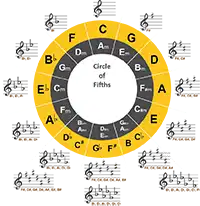
Every music track is composed in a specific key. Harmonic mixing involves blending tracks that are in compatible keys, so that transitions sound melodically natural rather than dissonant. Many DJs use the so-called Camelot Wheel system, which is a simplified version of the circle of fifths, to find compatible keys quickly and easily.
The gain control adjusts the overall input level of a channel and ensures that all tracks are played at a consistent volume. EQ (equalization) allows you to adjust bass, midrange, and treble separately. Effective use of EQ is essential for clean transitions and a balanced sound through the speakers.
A setlist is the order of tracks a DJ plans to play. Although many DJs improvise based on audience reactions, it is a good idea to have a basic plan. The dramaturgy of a set is about the energy curve – you typically start calmly, build intensity toward a climax, and round off with a softer ending. Understanding this structure is an important part of creating a memorable experience.
The best advice for a beginner is to start simple. Choose a genre you love, invest in a basic controller, and spend time actively listening to other DJs. Analyze when and how they transition between tracks, what transitions they use, and how they build energy. Practice beatmatching manually, even if the software can do it automatically – it will sharpen your musical ear significantly. Join online forums and watch tutorials, as the DJ community is generally open and helpful toward beginners.
DJing is a fascinating combination of technique, musicality, and creativity. With the right equipment, an understanding of basic techniques such as beatmatching, mixing, and cueing, as well as knowledge of important concepts such as BPM, EQ, and harmonic mixing, you have a solid foundation to build upon. The most important thing is to practice regularly, listen with curiosity, and have fun along the way. Whether your goal is to entertain friends at a private party or to stand on a big stage, the journey begins with the same fundamental steps.