Whether you use a computer, tablet, or smartphone, you have probably heard warnings about malware. Malware can steal data, destroy files, or give hackers access to your device. But what exactly is malware, how does it work – and how can you protect yourself?
What does malware mean?
Malware is a contraction of the English words "malicious software", meaning harmful software. It covers all types of programs and files that are deliberately developed to harm, infiltrate, or exploit computers, networks, or mobile devices without the user's consent.
The most important types of malware
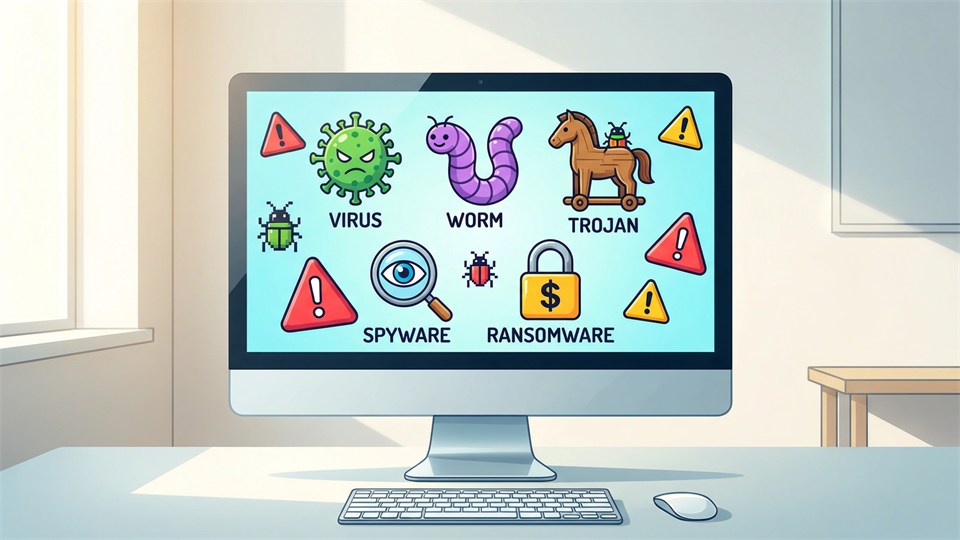
- Virus: Infects other files and often spreads via attachments or downloads.
- Worm: Can spread itself automatically in networks without the user's help.
- Trojan: Pretends to be a useful program but hides malicious code.
- Spyware: Monitors your actions and sends data to unauthorized parties.
- Ransomware: Locks your files and demands a ransom to unlock them again.
- Adware: Displays unwanted ads and can track your habits.
- Rootkits: Hides malware, making it hard to detect.
- Keyloggers: Records your keystrokes and can steal passwords.
How does malware spread?
Malware can spread in many ways. The most common are:
- Email attachments: Fake or infected files sent via email.
- Downloading programs: Especially from unsafe or unknown websites.
- Malicious links: Clicking links in messages, chats, or on websites.
- Infected USB sticks: Physical media can also transfer malware.
- Security holes: Exploiting bugs or weaknesses in software.
Social engineering is often used, where attackers try to trick the user into installing malware themselves – for example, by pretending to be a friend or a trustworthy company.
What can malware do?
Malware can have many purposes and consequences:
- Steal personal data: For example, passwords, credit card information, or photos.
- Destroy or delete files: Some types delete important files or make them unusable.
- Control your device: Hackers can remotely control the computer or use it to attack others.
- Monitor activities: Everything from visited websites to keystrokes can be monitored.
- Ransom demands: Ransomware can lock your files and demand payment to restore them.

Examples of well-known malware
- ILOVEYOU: A virus that spread via email in 2000 and infected millions of computers.
- WannaCry: Ransomware from 2017 that hit hospitals, businesses, and individuals worldwide.
- Zeus: A trojan used to steal banking information through the browser.
How you can protect yourself against malware
Good security advice
- Always update software: Use the latest versions of operating systems, programs, and apps – updates close security holes.
- Use antivirus: Install a reputable antivirus program and keep it updated.
- Be critical of links and attachments: Do not click on unknown links or open files from unknown senders.
- Download only from safe sources: Use official app stores and well-known websites.
- Back up your data: Save important files on an external hard drive or in the cloud.
- Use strong passwords: Avoid easy passwords and do not reuse passwords.
Signs that you may be affected by malware
- Your computer is slow or crashes frequently.
- Sudden pop-up windows or ads appear.
- You are redirected to unknown websites.
- Programs start or close for no reason.
- Files disappear or become inaccessible.

What should you do if you are affected?
- Disconnect the device from the internet to prevent further damage.
- Run a scan with an updated antivirus program.
- Remove infected files or programs, if possible.
- Change passwords, especially for important accounts.
- Consider getting professional help if the problem is serious.
If you have a backup of your data, you can restore it without having to pay ransom or lose important files.
Conclusion
Malware is a collective term for harmful software that can do significant damage to both your data and your digital security. The best protection is awareness and good habits: Always update software, use antivirus, and be careful with downloads and links. In this way, you minimize the risk of being affected and can safely use your computer or mobile device.