
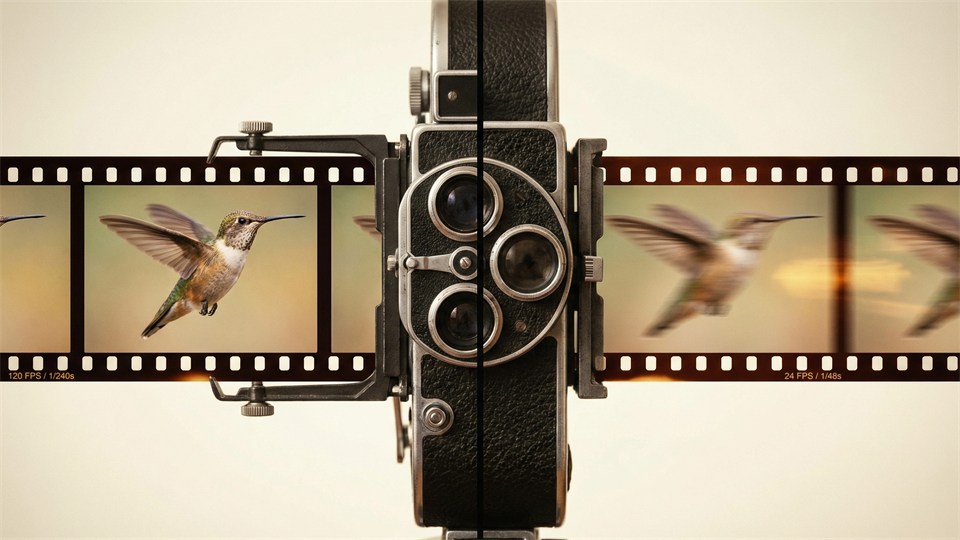


Do you dream of creating videos with the classic, cinematic look? A cinematic look is not just about beautiful colors and great optics. Much of the magic lies in the interplay between frame rate, shutter speed, and motion blur. Understanding these three concepts is the key to elevating your footage from amateur mobile video to what we associate with a "real film look." In this article, we explain how technical choices affect the appearance of your video – and how you can use them in practice to achieve more professional results.
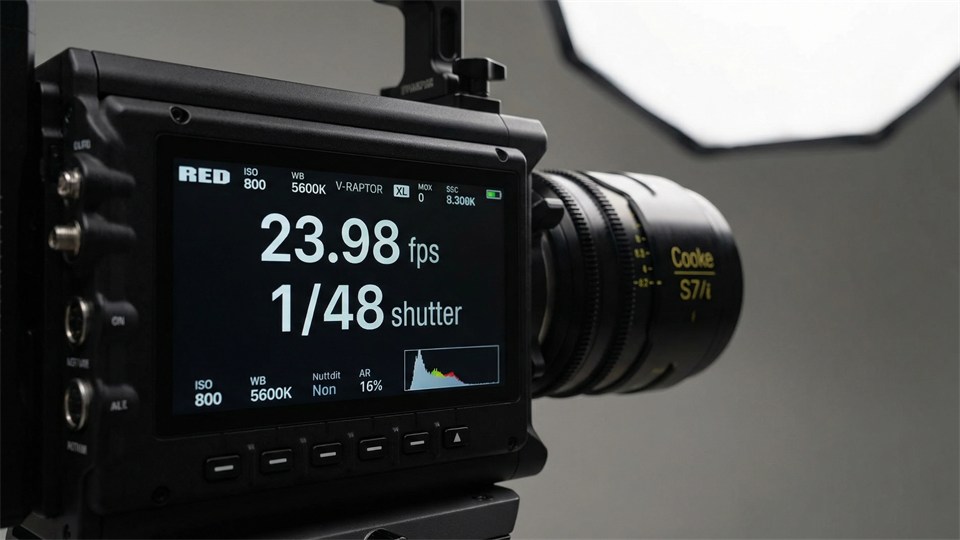
Frame rate indicates how many individual images (frames) your camera records per second. It is typically written as "fps" (frames per second). The most common frame rates are:
The choice of frame rate greatly affects how movement is perceived in your video. At 24 fps, fast movements appear more "blurred" and dreamy, while 60 fps makes everything sharper and more "realistic," which often feels less cinematic and more like live TV or video games. That’s why many filmmakers choose 24 fps to achieve the look we associate with the visual language of cinema.
Shutter speed determines how long each individual frame in your video is exposed. On a camera, it is the time the sensor is open to light before the image is "taken." Shutter speed is often indicated as a fraction of a second – e.g. 1/50, 1/120, or 1/1000 sec.
The shutter speed should be adjusted to your frame rate if you want a natural flow in the movements. The classic rule of thumb for a cinematic look is:
If you shoot at 24 fps, your shutter speed should be around 1/48 second (or 1/50 if your camera doesn’t have 1/48).
If you shoot at 25 fps (common in Europe), you choose a shutter speed of 1/50 second. This means each frame is exposed for just under half the time it takes to record one frame. This creates the right balance between sharpness and motion blur. If you choose a much faster shutter speed (e.g. 1/1000 second), movements become unnaturally "choppy" and appear "frozen" – a look many associate with action cameras or sports TV, but not with film.
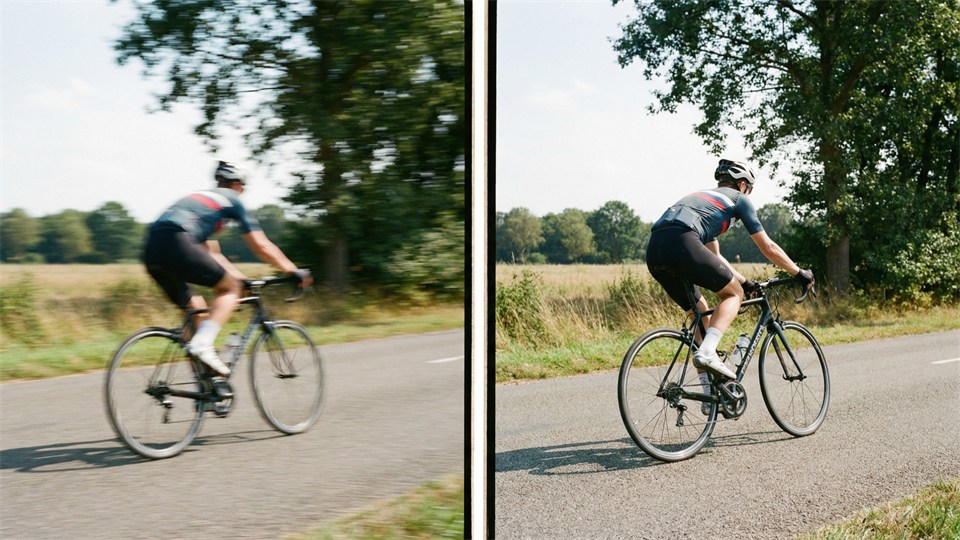
Motion blur is the phenomenon where fast movements become blurred because the subject moves while the frame is being exposed. It is this blur that makes films and professional videos appear "smooth" to the eye. Without motion blur, movements look unnaturally staccato and robotic.
The amount of motion blur is primarily controlled by shutter speed. A longer shutter speed (e.g. 1/50 second) gives more blur, while a very short shutter speed (e.g. 1/1000) removes the blur and makes movements very sharp. For a cinematic appearance, you typically want a moderate amount of motion blur – enough for movements to appear natural, but not so much that the image becomes muddy or hard to see.
To get the classic film look, you should combine the three elements correctly:
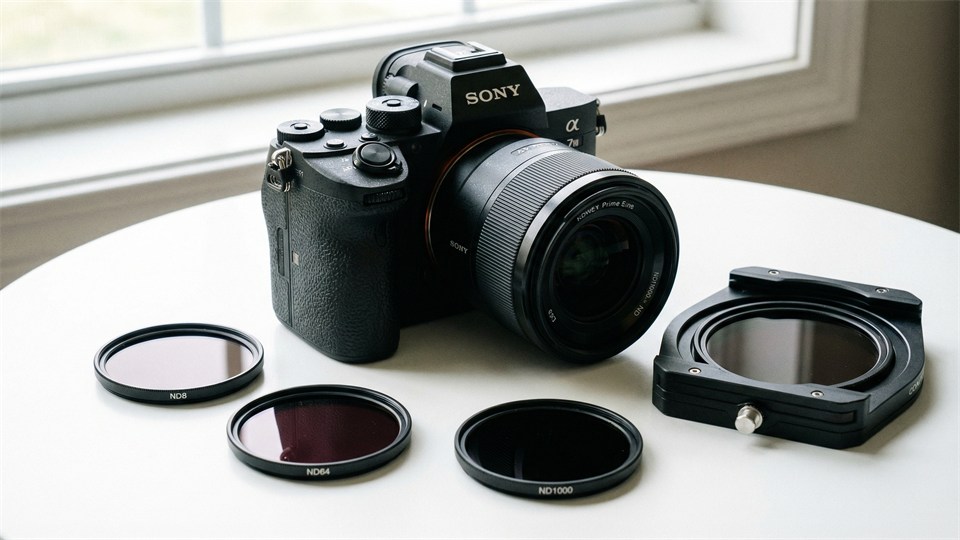
Remember, you can also use ND filters (neutral density) to keep your shutter speed low even in bright light. Many beginners end up with shutter speeds that are too short on sunny days because otherwise the camera overexposes – but this ruins the cinematic look. An ND filter works like sunglasses for the camera and makes it possible to keep the shutter speed down.
There is no single "correct" setting. Your choice depends on the look you want:
Be aware that changes in frame rate and shutter speed are not just technical choices, but also narrative tools. An action sequence without motion blur can feel chaotic and intense, while a romantic moment with soft movements and motion blur feels dreamy and intimate.
The best way to learn is by experimenting. Record the same scene several times with different frame rates and shutter speeds. See how movement and light change, and how the experience of the video shifts. For example, try:
Through these exercises, you will quickly get a sense of how technical choices shape your storytelling.
Cinematic video is largely about understanding and consciously using frame rate, shutter speed, and motion blur. By choosing the right combination and adjusting your settings according to your desired look, you can create videos that feel more professional and engaging. Remember, it’s not just the technique, but also your creative vision, that shapes the final result. Experiment, learn from your footage, and use the classic cinematic principles as a foundation – then you are well on your way to achieving the look you dream of.