

DA | EN | DE | FR | ES

Cybersikkerhed

What is phishing? Understand and avoid digital phishing traps

teknologi Cybersikkerhed
What is phishing? Title Image

Phishing is one of the most widespread forms of digital fraud in the world. It affects millions of people every year and can lead to everything from lost money to identity theft. But what exactly is phishing, how does it work, and how can you protect yourself? This article explains phishing in easy-to-understand language – perfect for those who are new to the topic.

What does phishing mean?

The word phishing (pronounced like "fishing" in English) refers to "fishing" for sensitive information from unsuspecting users. Cybercriminals try to trick people into revealing information such as passwords, credit card numbers, or personal data by pretending to be a trustworthy sender.

What does a phishing attack look like?

Phishing often happens via email, but can also occur through SMS, social media, or fake websites. The most common signs of phishing are:

  • An email from a "known" sender: It may look like messages from your bank, your workplace, or well-known companies.
  • An urgent message: You are urged to act quickly – for example, "your account will be closed if you don't respond now".
  • A link to a fake website: You are asked to log in or provide information on a website that looks real but is fake.
  • Request for personal information: You are asked to provide a password, social security number, payment details, etc.

This is how phishing works in practice

Phishing attacks can be very simple or very advanced. Here are some of the most commonly used methods:

Email phishing

The classic attack: You receive an email that appears to come from your bank, a public office, or a well-known company. The email often contains a link that leads you to a fake page where you are asked to enter information.

Spear phishing

Here, the attack is targeted at a specific person or group. The scammer uses information about you – for example, your name or your workplace – to make the message more credible.

Smishing and vishing

  • Smishing: Phishing via SMS messages, where you, for example, receive a link that leads to a fake login page.
  • Vishing: Phishing via phone calls, where the scammer pretends to be from the bank or authorities.

Fake websites

Some phishing attempts simply consist of creating websites that mimic well-known services. When you enter your login details there, they are sent directly to the scammer.
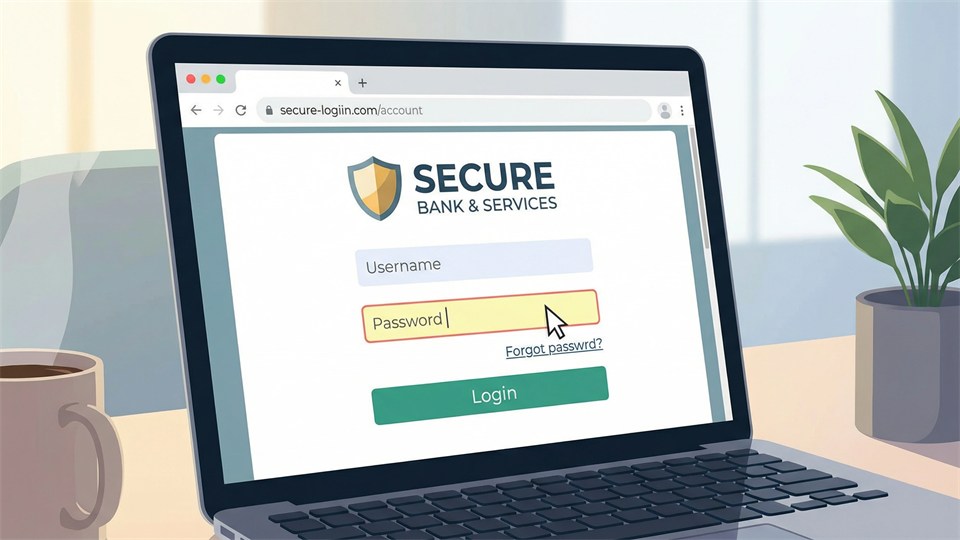
Illustration of a fake login site

Why is phishing dangerous?

If you fall for a phishing attack, the consequences can be serious:

  • Identity theft: The scammer can misuse your information to take out loans, buy goods, or commit crimes in your name.
  • Financial loss: Direct withdrawals from your bank account or misuse of your credit card information.
  • Loss of access: If you provide passwords, the scammer can take over your accounts and lock you out.

How to recognize phishing

Although phishing attempts can be very convincing, there are typically some warning signs:

  • Poor language: Many phishing messages contain spelling mistakes, strange wording, or poor Danish/English.
  • Unknown or strange sender: Always check the sender address – it often looks suspicious.
  • Non-personal greetings: "Dear user" instead of your name can be a sign of phishing.
  • Links that do not match the sender: Hover your mouse over the link – it often points to a completely different address than expected.

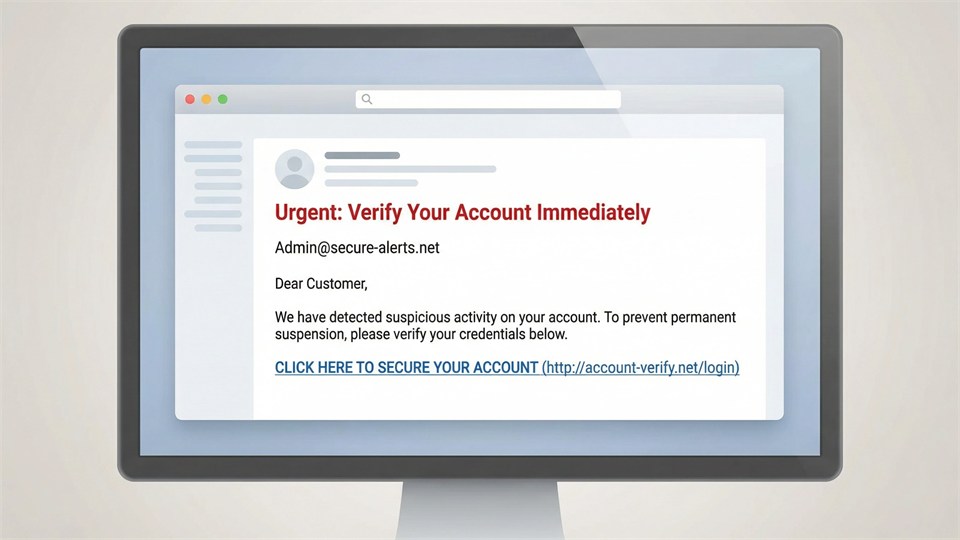
Example of a phishing email

Imagine you receive this email:

Subject: Your account will be closed – action required!
From: sikkerhed@dinbank.dk
Content: "Dear customer, we need to confirm your information. Click here to log in and secure your account."

The link takes you to a page that looks like your bank's website, but in reality belongs to the scammer.

Protection against phishing

You can do a lot to protect yourself against phishing:
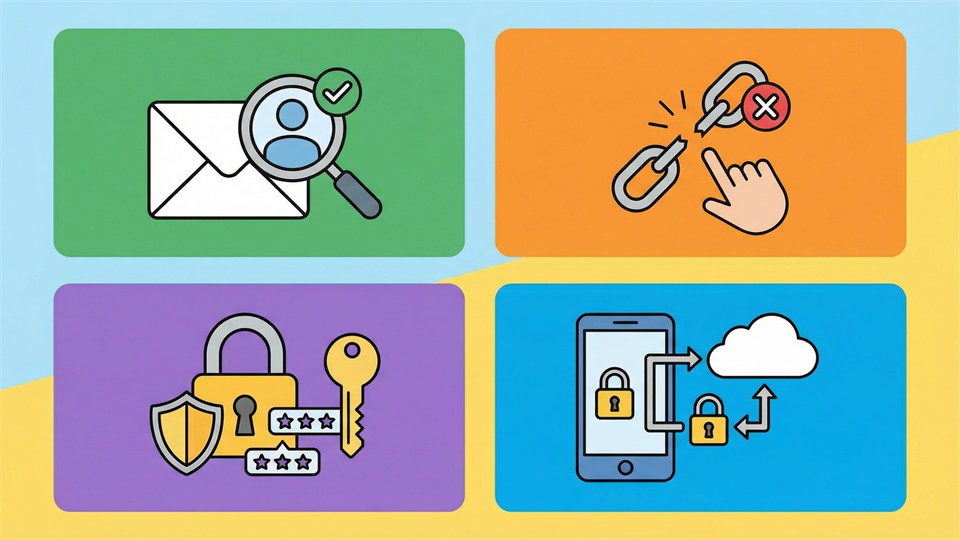
  • Always check the sender and links before you click or reply.
  • Never enter sensitive information via links in emails or SMS messages.
  • Use strong and unique passwords for all your accounts.
  • Enable two-factor authentication where possible.
  • Keep your computer's software and antivirus updated.
  • If in doubt, contact the company directly via their official website or phone number.
An infographic with tips to avoid phishing

What should you do if you have been affected?

If you think you have given sensitive data to a scammer, you should:

  • Change passwords immediately.
  • Contact your bank and possibly block cards.
  • Report the incident to authorities or the police.
  • Be extra alert for suspicious activity on your accounts in the future.

Conclusion

Phishing is a digital threat that anyone can be exposed to – but with knowledge and caution, you can significantly minimize the risk. Always remember to think before you click on links or share sensitive information. Be critical of unexpected messages, and use healthy digital habits in your everyday life.


Similar articles

What is Malware?
Cybersikkerhed
What is Malware?
Beginner's Guide to Malicious Software
What is an IP Address?
Internet
What is an IP Address?
Understand your digital address on the internet
What is a Domain Name?
Internet
What is a Domain Name?
A Beginner's Guide to Internet Addresses
What is HTTPS?
Internet
What is HTTPS?
How HTTPS Protects Your Data Online

You might also like

Astrology
Astrologi
Astrology
A Window to the Universe
World History According to KGM.DK
Verdenshistorie
World History According to KGM.DK
From the Big Bang to Covid
Rosé Wine
Vin
Rosé Wine
Rosé Wine: From Summer Drink to Serious Wine Experience
USB Sticks
Hardware
USB Sticks
From Type-A to USB-C and Everything In Between