

Note: The Twitch DJ Program is a relatively new scheme launched in August 2024. Rules, catalogs, subsidies, and terms may change over time. Always check Twitch's official DJ Program page and help center for the most up-to-date information before signing up.
DJing on Twitch is a way to play music live for an audience that is not standing in front of you on a dance floor, but following along via a screen. That does not change the fact that the music is still the focus, but it fundamentally changes the framework around the experience. As a DJ on Twitch, you have to think like a music curator, technician, and host all at once. You need to be able to create energy with your tracks, react to the chat, and ensure that sound and video work reliably. For beginners, it can seem like a lot at once, but with the right software, a stable audio chain, and a clear plan, you can get off to a good start without a professional studio.
In June 2024, Twitch launched its official DJ Program, which formalized a legal agreement with the music industry. The program makes it possible for DJs to livestream and earn money on Twitch without the risk of DMCA takedowns, as long as they comply with the program's requirements. It is an opt-in scheme that requires you to actively sign up via Twitch's DJ Program page. The program is based on agreements with the three largest record companies – Universal Music Group, Warner Music Group, and Sony Music – as well as Merlin, which represents many independent labels.
The program is voluntary, but Twitch has emphasized that the previous situation on the platform was not sustainable, and that this is the best solution for the DJ community in the long term. It is important to understand what you get, and what you give up, before signing up.
One of the biggest advantages of the program is access to a legal and broad music library. Thanks to the agreements with the major record companies, the vast majority of mainstream music is available for use in your livestreams. The catalog is updated continuously and covers a broad cross-section of genres and commercial releases.
However, there is also a list of restricted artists whose music may not be played – even within the program. It is important to check this list regularly, as it may change. Independent artists cannot submit music to the catalog themselves; it requires an affiliated label that can contact Twitch directly. Whether you are enrolled in the program or not, you should read more about music genres for DJs, as your choice of music and genre has a major impact on which tracks you can and should use in your streams at all.
The Twitch DJ Program is not free for monetized streamers. Enrolled DJs who are Affiliates or Partners give up part of their Twitch revenue to the record companies as payment for the right to play the music. Twitch keeps the exact percentage confidential for legal reasons, but analyses suggest that it is typically around 30% of total Twitch revenue – and the rate can vary between 25 and 40% depending on how the channel's revenue is distributed across subscriptions, Bits, and ads.
To ease the transition, Twitch offered a temporary subsidy program that was gradually reduced over the first year:
DJs who are not yet monetized – that is, who are not Affiliates or Partners – are not financially affected. Twitch covers the music costs for streamers who do not earn money on the platform. When you also understand that your chosen music genre can influence which tracks are legal to play, it is wise to thoroughly familiarize yourself with the characteristics of the genres before signing up for the program.
An important and often overlooked limitation in the DJ Program is that all forms of saved video content are disabled on channels enrolled in the scheme. The legal agreements with the record companies apply exclusively to live playback, not to asynchronous playback at a later time. In practical terms, this means:
If you want both to stream as a DJ and save content for later use, Twitch recommends that you create a separate channel dedicated exclusively to DJ content. That way, your main channel retains its full functionality, while the DJ channel operates under the program's terms.
A physical DJ set is often about reading the room: are people dancing, are they leaving the floor, or are they reacting to a particular rhythm? On Twitch, the reaction is more indirect. The audience writes in the chat, sends emotes, asks questions, or stays in the stream. An understanding of beatmatching and energy curves is still central to delivering a good set – but on Twitch, it is the chat rather than the dance floor that tells you whether the music is hitting the mark.
Twitch streaming is therefore more dialogue-based than most traditional performances. You are not just playing for anonymous listeners, but for a community that can comment in real time. This means that pauses between mixes, short explanations, or greetings can be a natural part of the experience. A good Twitch DJ balances musical flow with presence, so the stream feels alive without being constantly interrupted.
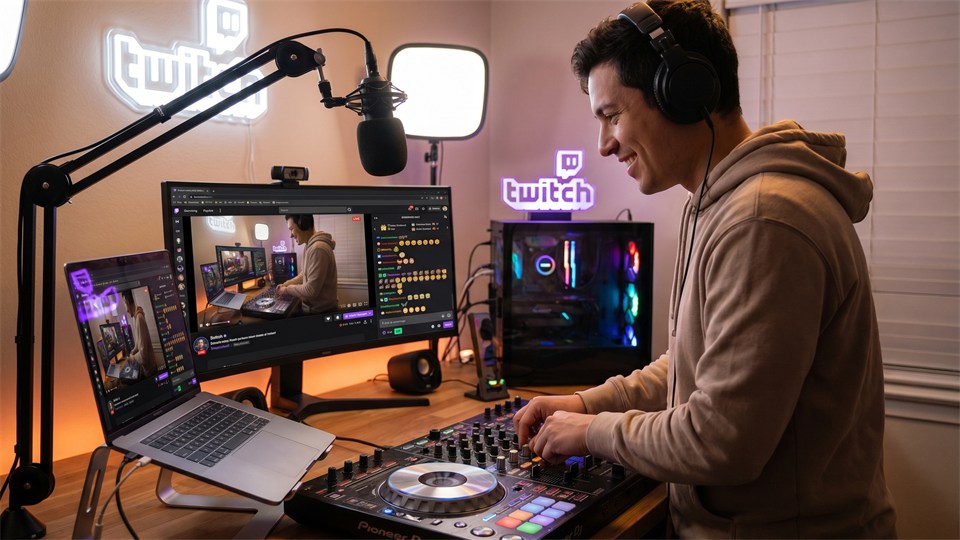
You do not need to start with expensive equipment, but you do need a setup that can send both good sound and stable video. Many people use a DJ controller, a computer, headphones, and a streaming program as the center of the setup.
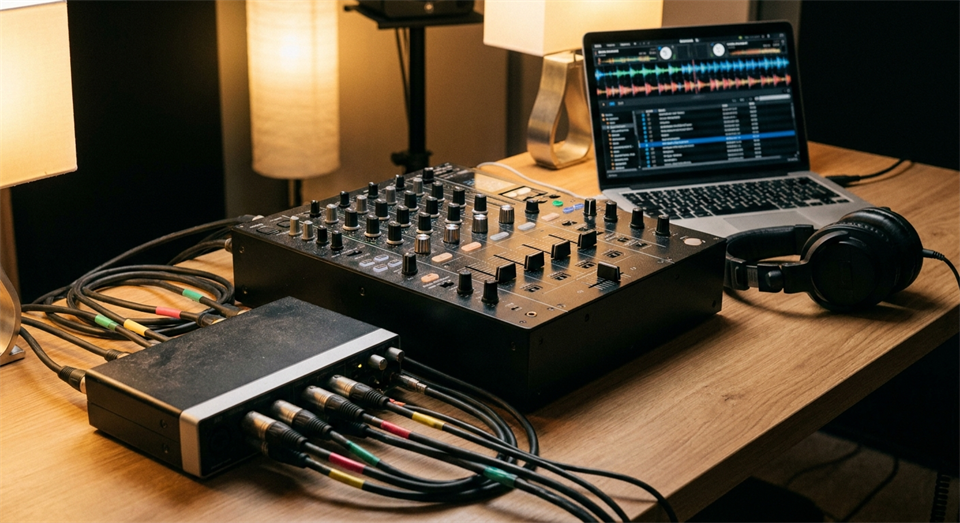
If you can already play a regular DJ set, the Twitch part is mainly about getting the signal from your DJ equipment into the computer in a clean way.
OBS Studio (Open Broadcaster Software) is the most widely used and free tool for streaming to Twitch. It is open source, very flexible, and supports all the functions a DJ stream requires. OBS handles the video image, audio mixing, and the actual transmission to Twitch.
For a DJ stream, the following functions in OBS are particularly relevant:
OBS Studio is compatible with Windows, macOS, and Linux and is actively maintained by the open source community. It is free with no paywalls or subscriptions.
When OBS handles the streaming itself, StreamElements and Streamlabs provide the social and visual layers that make your stream more interactive. Both services are free to use and integrate directly with Twitch. They work by you adding a browser source in OBS, which retrieves overlays and alerts from the service's servers in real time.
StreamElements is cloud-based, which means that your alerts and overlays are saved and run on their servers rather than on your computer. This reduces CPU load and makes it easy to update your layout without having to restart the stream.
Streamlabs offers many of the same features as StreamElements and also has its own streaming client (Streamlabs Desktop), which is based on OBS technology but with a more beginner-friendly user interface. The choice between the two depends primarily on what you find intuitive.
Both services are solid choices. StreamElements is typically preferred by those who want to keep CPU load in OBS low and want granular control over alerts and bot. Streamlabs Desktop is better suited to beginners who want an integrated solution with fewer separate programs to keep track of.
On Twitch, viewers can accept a single image, but poor sound will quickly make them leave the stream. Music should sound full, clean, and free of distortion. The most important thing is to prevent the signal from getting too loud, because digital clipping can sound harsh and unpleasant. In OBS, you should keep an eye on the audio meters and aim for a level that is strong but not constantly hitting the top of the scale.
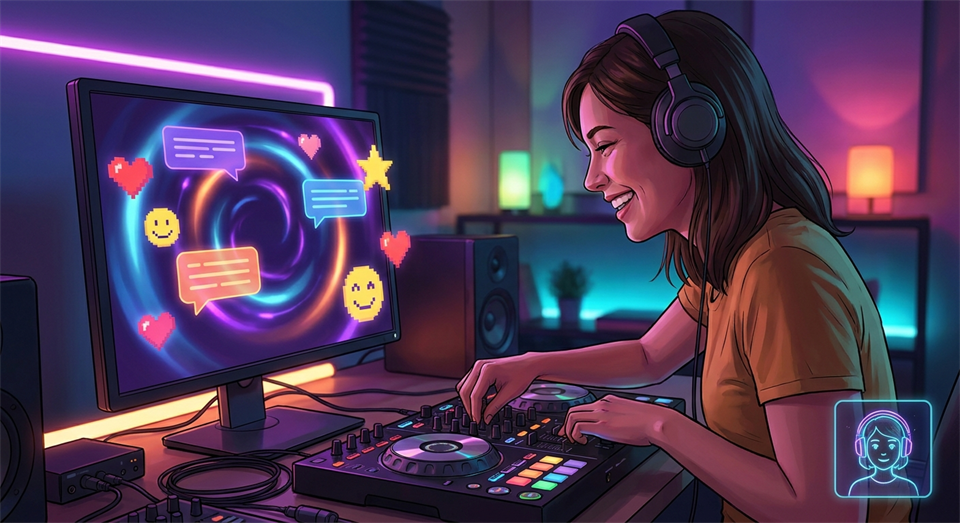
If you use a microphone to talk to the chat, it needs to be balanced with the music so your voice can be heard without overpowering the mix. Many beginners forget to test the sound from the viewer's perspective – use OBS's recording function to make a short test recording and listen through it with headphones. It can reveal problems with clipping, background noise, or imbalance that you do not notice in the actual streaming situation.
A Twitch stream works best when it has a clear structure, even if the music feels spontaneous. You can start with a brief welcome, play a calmer warm-up section, build the energy, and end with a few memorable tracks – exactly as you would structure a regular DJ set with a classic energy curve. Online audiences, however, often come and go along the way, and that is different from a physical venue where people arrive together. That is why it helps to have small natural reference points where new viewers can quickly understand the mood. Mention the genre, the theme of the day, or how long you are playing. It does not have to be long; a few sentences are enough.
The chat is one of the biggest differences between DJing on Twitch and playing at a physical event. It can make the stream social and fun, but it can also take focus away from the music if you are constantly reading messages in the middle of transitions. A practical method is to look at the chat during calmer parts of the music – after a completed mix or when a longer track is running steadily. You can answer briefly, greet new viewers, and acknowledge music requests without promising that everything will be played.
If you get a lot of messages, a moderator can help keep the chat friendly, answer simple questions, and remove spam. StreamElements and Streamlabs both have chatbot features that can handle some of this automatically.
When you are enrolled in Twitch's Affiliate or Partner program, you gain access to the platform's monetization tools. It is important to understand that revenue from Twitch's own systems is subject to the DJ program's music fee, while revenue from third-party donation services such as StreamElements and Streamlabs is not.
Viewers can subscribe to your channel for a monthly amount. As an Affiliate and standard Partner, you receive 50% of the subscription price, while Twitch keeps the rest. Twitch's Partner Plus program offers 70% to streamers who maintain at least 350 active paid subscriptions over three consecutive months. Remember that the DJ program deducts its share on top of this split.
A viewer can buy subscriptions and give them as gifts to others in the chat – either to specific people or to random viewers. Gifted subs are one of the most popular ways audiences show support and excitement, and they often create a lot of activity in the chat. You receive the same share of the subscription revenue as with normal subscriptions. When StreamElements or Streamlabs registers a gifted sub, it typically triggers an alert with the donor's name – a good time to thank them briefly on the microphone before you continue the mix.
Bits are Twitch's own virtual currency. Viewers buy Bits with real money and use them in the chat by writing, for example, Cheer100, which displays an animated emote. 100 Bits corresponds to approximately $1 in payout to the streamer. Cheers work as a quick, visible way to donate without leaving the Twitch platform, and they generate alerts in OBS via StreamElements or Streamlabs. Bits revenue is part of Twitch's payment system and is therefore subject to the DJ program's music fee.
Donations via StreamElements, Streamlabs, or other services are direct payments outside Twitch's system. This means that this revenue is not subject to the DJ program's fee to the record labels. Many experienced DJ streamers highlight this option in their stream panel or chat commands, so viewers know that donations via, for example, a StreamElements link go to the streamer in full.
A strong Twitch channel is not only about technical skill in the mix. Many viewers return because they feel welcome and recognize the atmosphere from one time to the next. You can create community by having regular stream times, a recognizable visual style, and a clear musical direction – whether it is melodic house, techno, drum and bass, funk, or a broad theme. Knowing music history and its roots can give your DJ identity depth and give you something to talk about while the music is playing. If your audience knows what to expect, it is easier for them to come back.
You can ask the chat about the mood, create themed nights, or present new tracks and talk about them – so viewers feel that they are part of a musical journey rather than merely listeners to a radio stream.
Although sound is most important, the visuals matter a lot for the first impression. A tidy table, soft lighting, and a camera angle where people can see your hands on the controller make the stream more interesting and personal. An overlay made in StreamElements or Streamlabs can show your DJ name, the current track, a discreet chat box, and alerts for subs and donations. Too much graphics, however, can distract from the music. Think of the image as a stage: it should support the experience, not compete with it.
Technical problems happen to everyone, but many can be avoided with fixed routines. Before you go live, you should go through a fixed checklist:
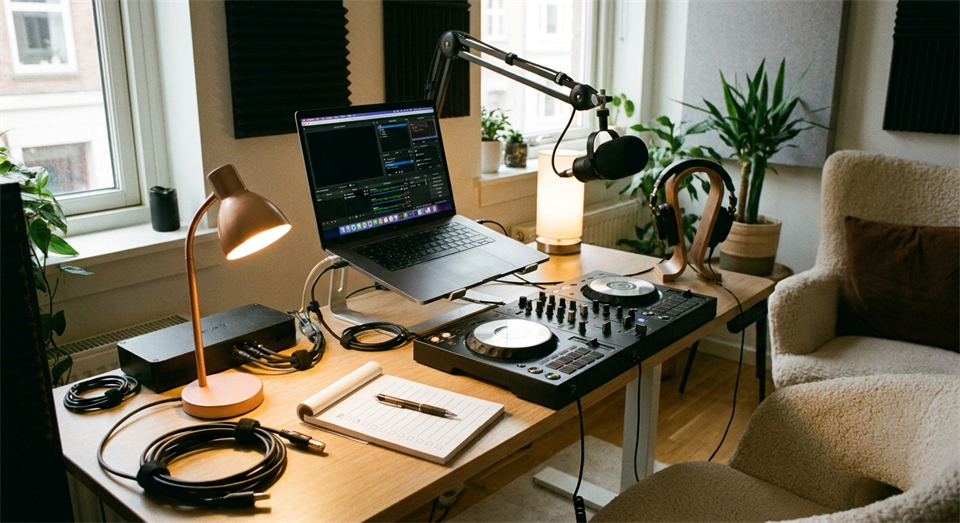
It is a good idea to make a simple checklist that you follow consistently. Repetition creates confidence, and when the technology is stable, you can spend your energy on what matters most: the music, the transitions, and the connection with the audience.
Some DJs dream of making money on Twitch, but it is best to start with realistic expectations. Income can come from subscriptions, gifted subs, Bits, tips via third parties, and possible sponsorships, but it takes time to build an audience. In the beginning, it is more important to learn the format, find your sound, and create a steady rhythm. If viewers experience quality and stability, they are more likely to support the channel in the long run.
It can also have value in other ways: you become better at presenting music, you get feedback from listeners in real time, and you can reach people across national borders without having to be booked at a physical venue. In that sense, Twitch is a platform for both career development and personal DJ identity.
The best starting point for understanding what Twitch DJing can become is to see what others have already built. These six streamers illustrate the breadth of the format – from North American house music pioneers to a Danish name with roots in the club scene since the 1990s.
Tanya Shelton from Canada is one of the most-watched DJ streamers on the entire platform and is consistently ranked number one on Twitch in the DJ category for English-language channels. She started streaming in March 2020 and has since built a channel with more than 130,000 followers and an average viewership in the thousands per stream. Her profile describes her as "that Canadian DJ", and her style is energetic and outgoing with a strong focus on chat interaction. You can follow her at twitch.tv/djmissshelton.
Jessu (pronounced "jeh-soo") is a Vancouver-based DJ who began streaming on Twitch as early as January 2019 – long before the pandemic pushed other DJs onto digital platforms. Her musical foundation is house and electronic music in a broad sense, with inspiration from festival scenes such as Shambhala. When the clubs closed in 2020, her channel exploded and grew to nearly 200,000 followers. Today, Jessu is one of the strongest examples of how an authentic community and consistent quality are the foundation of a sustainable Twitch channel. You can follow her at twitch.tv/jessu.
Dirk Neuenfels is a German DJ and entertainer from Dortmund who combines electronic music with high-energy entertainment and strong chat interaction. His streams are characterized by viewers actively deciding what happens – what music is played, which effects are used, and what direction the evening takes. This makes his streams more than a DJ set; they are interactive events drawing on genres from hardstyle to mixed electronic. With more than 65,000 followers and a solid position in the DJ rankings on Twitch, he has demonstrated that a strong entertainer profile can be at least as important as technical skill. You can follow him at twitch.tv/dirkneuenfels.
NyyBeats is a Los Angeles-based DJ and Twitch Ambassador with a repertoire that spans house, bass, techno, and dubstep. She is known for themed nights, a personal and humorous style, and a close relationship with her community. Since she started streaming in July 2019, she has built more than 90,000 followers and performed at events for, among others, 100 Thieves, StreamElements, and RTX – a sign that a Twitch channel can pave the way for performances beyond the platform's own framework. Her stream description is concise and fitting: "DJ creature that mostly does not shut up." You can follow her at twitch.tv/nyybeats.
PYKA – whose real name is Sarah Pyka – is a Canadian DJ from Vancouver specializing in deep house, disco house, tech house, and melodic electronic music. She started streaming in February 2020 after having worked as a DJ in Vancouver's nightclub scene, and has since built more than 150,000 followers. PYKA and Jessu have collaborated closely, and together they represent a central part of Twitch's house community. Her streams are described as intimate and "weird good" – unpredictable in the best sense. You can follow her at twitch.tv/pyka.
Janus Lauvring is the only Danish name on this list and one of the most experienced figures in the international Twitch DJ scene. He began his career as a club DJ in 1997, went full-time as a DJ in 2009, and started on Twitch in 2020 as a direct consequence of the pandemic closing physical venues. Today he is a Twitch Partner with more than 40,000 followers and a global audience that gathers around the music he has played on Danish and European dance floors for decades. His heart beats for house in all its forms, and his streams reflect an experience and calm that only come from many years behind the controller. JanusLauvring is concrete proof that the path from the physical dance floor to a digital platform is possible – and rewarding. You can follow him at twitch.tv/januslauvring.
DJing on Twitch combines music, technology, and online community in a way that makes the format exciting for both beginners and experienced DJs. The Twitch DJ Program provides a legal way to play mainstream music through the large music catalog, but requires you to understand the consequences: an ongoing music fee to the record labels and opting out of VODs, clips, and highlights. OBS Studio is the technical foundation, while StreamElements or Streamlabs add the social and monetization layers with alerts, overlays, and donation systems that are kept outside Twitch’s fee structure.
Gifted subs, Bits, and tips via third parties are the concrete ways your audience supports you—and they create the excitement in chat that lifts the energy of the entire stream. With patience, stable technical habits, and a clear musical direction, Twitch can become a strong platform for your DJ identity.